
The vehicle
Check the charge-port light and the exact message on the vehicle screen or app.

EV charger troubleshooting · Loganville, GA
 Understand the light. Find the fault.
Contact us
Understand the light. Find the fault.
Contact usA warning light is a starting point. Find out what your EV is reporting, what you can check safely, and when your home charging circuit needs an electrician.
The short answer
On a Tesla vehicle, blinking blue means the car is communicating with the charging equipment. Red means a fault has stopped charging. A wall charger’s lights can mean something different, so identify the device and read its exact alert.
The cause may involve the connector, adapter, vehicle, charger or home electrical circuit. A red light alone does not prove you need a new charger.
Vehicle-light reference: Tesla Model 3 charging instructions.
The Tesla is communicating. Charging has not started yet.
Connected, but not charging. A scheduled session can explain this.
A fault was detected. Read the vehicle alert before deciding what failed.
These meanings describe the Tesla vehicle charge port, not every wall charger.
Start with the right device
The car, wall unit and portable cable each report their own condition. A photo of the indicator and its label helps prevent a diagnosis based on the wrong light.
Check the charge-port light and the exact message on the vehicle screen or app.
Record the charger model, light color, blink pattern and any app error.
A portable unit may report a supply, temperature or connector fault of its own.
A separate connection light can describe a network problem rather than an electrical fault.
Tesla · ChargePoint · Emporia
Use the instructions for your exact product and generation. Count the flashes and photograph the full error message before trying a permitted reset.
Blinking blue indicates communication; solid blue can mean the car is waiting to charge. Red indicates a charging fault. Start with the touchscreen alert, which provides more useful evidence than the color sequence alone.
The wall unit has its own status light. Tesla describes solid blue as connected with no charging request, and pulsing blue as a connection being established. Device settings and access controls also matter. Use the correct Wall Connector generation’s diagnostics for a recurring fault.
ChargePoint’s Home support guide identifies a red front status light as a fault that prevents charging. Save the app message and use the troubleshooting instructions for your unit. A scheduled delay and a persistent fault require different responses.
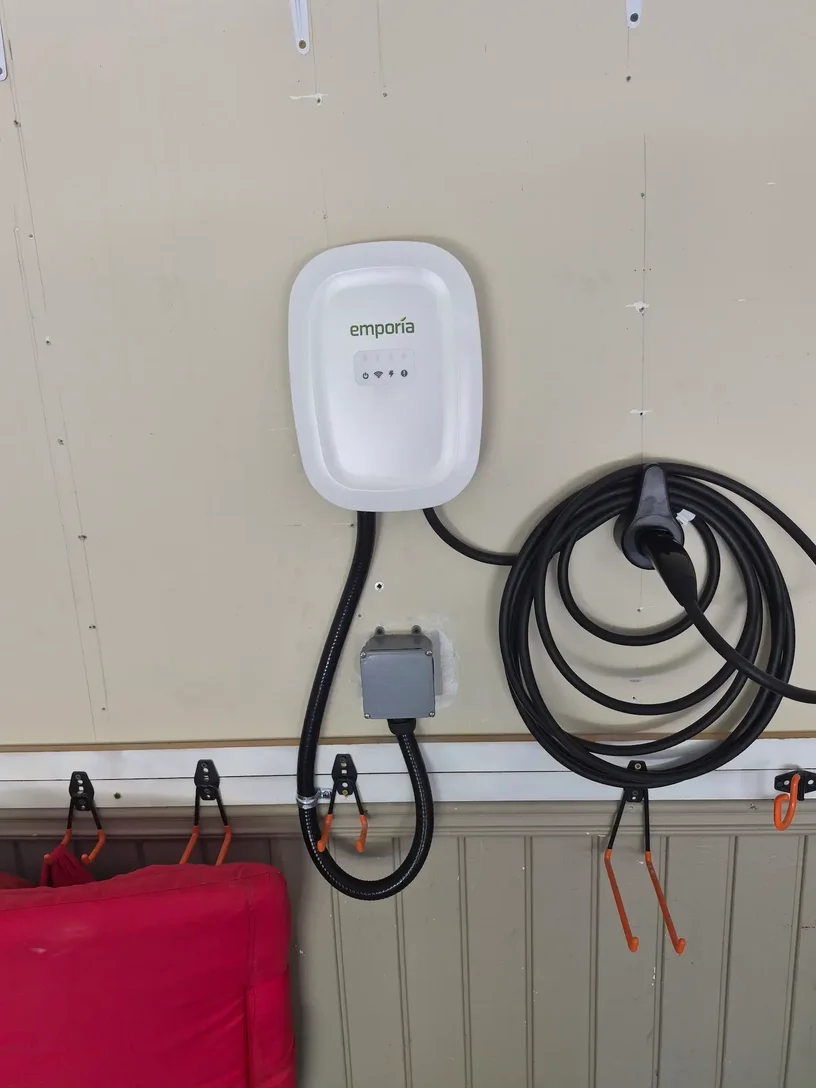
Emporia Classic separates power, charging, Wi-Fi and fault indicators. A red Wi-Fi light reports a router connection problem. Faults use orange flash patterns, including slow and fast flashes. Record both parts of the pattern; “seven flashes” by itself may omit useful information.
Using a Tesla Wall Connector with another EV? Start with our Tesla Wall Connector compatibility guide before assuming that any adapter will work.
Before the service visit
You can collect useful information without opening an electrical panel, receptacle or charger. Leave electrical testing and internal repairs to a qualified professional.
Charger powered, but not charging?Photograph the light and capture the vehicle and charger app messages. Note whether the failure happens immediately or after several minutes.
Look for a schedule, a reached battery limit or a paused session in either app. Waiting for a schedule can be normal; a recurring red fault still needs attention.
With charging stopped, look for visible damage, moisture or debris. Follow the vehicle’s instructions to disconnect. Do not force a latch, insert tools or spray liquid into the contacts.
Only attempt a manufacturer-permitted restart when there is no damage, water intrusion or repeated breaker trip. Use the specified waiting time. If the fault returns, stop repeated resets.
If the equipment is safe to use, note whether the vehicle charges on another compatible, known-working Level 2 station. Tell us whether an adapter was used and whether the other station supplied AC or DC charging.
Follow the sequence
Timing is evidence, not a final diagnosis. Save the fault code, current setting and the point at which charging stops.
What it may indicateConnector or adapter trouble, a communication error, a safety check or an equipment fault.
The useful next stepIdentify the exact code and device. Do not assume the wall unit needs replacing.
What it may indicateHeat, a poor connection, voltage changes, charger settings or a vehicle charging fault.
The useful next stepNote the time and amperage. Stop using equipment that shows damage or overheating.
What it may indicateReduced current may mask a connection, thermal or circuit-configuration problem.
The useful next stepArrange diagnosis. Lowering current is not proof that the original installation is sound.
What it may indicateThe breaker trip is a separate symptom from the charger’s warning light.
The useful next stepLeave a repeatedly tripping circuit off and read our EV charger breaker-trip guide.
What can cause the fault
These are possible causes of a home EV charging fault. The code and testing determine which one applies to your installation.
A partly seated plug, worn latch, damaged inlet or incompatible adapter can interrupt communication between the car and charging equipment. Check compatibility before replacing parts. Our Tesla compatibility guide explains the equipment choices.
The vehicle and charger can each delay a session. Check both schedules, the battery limit and any charger access restriction. A schedule may explain waiting, but it does not explain away a persistent fault.
Leakage current and a defective grounding path are different conditions. Moisture, damaged insulation or a vehicle fault may trigger leakage protection even when the grounding conductor is present. Learn how GFCI and AFCI protection differ.
A normal idle reading does not prove that the supply remains stable during charging. A qualified electrician may need to evaluate voltage and connections while the circuit is under an appropriate, controlled load.
A charger’s maximum output is not automatically the correct setting for your home. The breaker, conductors, wiring method, equipment instructions and available capacity must agree. See 50-amp versus 60-amp EV charging.
Sustained charging can expose a poor plug fit or resistive termination. Discoloration, melting, burning odors or repeated temperature alerts call for service. Changing to hardwired equipment is a design decision, not a diagnosis; compare hardwired and plug-in EV chargers.
Outdoor equipment still needs intact seals, covers, cables and correct installation. Do not use wet or damaged connectors, bypass protection or assume that drying alone repairs water-damaged equipment.
The vehicle, charging cable, electronics and wall unit can each cause a failed session. Comparison testing and the manufacturer’s code help decide whether the next step is circuit work, charger support or vehicle service.
From a Loganville troubleshooting call
On a Loganville call, an Emporia charger reported a ground-fault condition while attempting to charge a Kia EV9. Work on the home circuit did not resolve the complete problem. The vehicle also failed to charge on public equipment and with separate portable 120-volt charging equipment.
Those results changed the next step. They supported further vehicle-side evaluation instead of repeatedly replacing home electrical parts. They did not, by themselves, identify a failed vehicle component.
The repair should follow the evidence, not the first part someone suspects.
Read the related breaker-trip caseRepeated failure with one vehicle can point toward its inlet, adapter or charging system. Record which charging type and adapter were used in each test.
If compatible vehicles fail only at the same home unit, the charger and home circuit deserve closer inspection. This comparison is a clue, not permission to test damaged equipment.
AC and DC charging use different vehicle paths. This means successful DC fast charging alone does not establish that the vehicle’s AC charging system is healthy.
Home EV charging diagnosis
A useful visit goes beyond confirming that the charger has power. Depending on the fault, we evaluate the installation and help identify the right next step.
For trips, damaged receptacles, heat, installation concerns or voltage and grounding alerts. A red light alone does not justify a panel upgrade.
For model-specific internal errors, firmware questions or warranty decisions. Have the serial number and fault history ready.
When alerts or comparison tests point toward the vehicle. Ask the manufacturer to evaluate the charge inlet and charging system.
The Kais Pro Repairs EV library
Follow the symptom you have today, or plan a charging installation that suits your home. Each guide covers a different part of the decision.
Homeowner questions
These answers help you prepare for a diagnosis. The manufacturer’s instructions for your exact vehicle and charger remain the starting point.
Ask about your charging faultBlinking blue means the vehicle is communicating with the charging equipment. Red means a fault has stopped charging. Read the exact vehicle alert; the sequence alone does not identify the failed component.
No. The fault may involve the vehicle, connector, adapter, charging equipment or electrical supply. On some equipment, a separate red Wi-Fi indicator describes a network issue. Identify the labeled indicator and exact model first.
Yes. A connected vehicle or charger may wait for a scheduled session. Check both apps and the battery charge limit. A persistent red fault should still be investigated rather than dismissed as a schedule issue.
No. Follow the manufacturer’s restart instructions only when it is safe and appropriate. If the fault returns or a breaker trips again, stop repeated resets and arrange diagnosis. Do not handle wet, burned or damaged equipment.
No. Leakage current and a defective grounding path are different problems. The exact code and professional testing are needed to determine whether the issue involves wiring, moisture, the charger or the vehicle.
Lower current can reduce heat and voltage drop, which may hide a poor connection or configuration problem. It is useful diagnostic information, not proof that the circuit is safe at its original setting. Have the cause checked.
When safe, compare the vehicle on another compatible, known-working Level 2 charger and record the result. Note any adapter used. Several vehicles failing only at one home unit shifts attention toward that charger and circuit; a single vehicle failing elsewhere supports vehicle-side investigation.
No. AC home charging and DC fast charging use different paths. A successful DC session does not rule out an AC charging problem in the vehicle. Tell the technician which type of charging worked or failed.
A warning light does not establish either need. Breaker size must match the complete circuit and equipment. A panel upgrade depends on condition, capacity and the proposed load. Diagnose the fault before choosing an upgrade.
Kais Pro Repairs provides residential electrical and EV circuit troubleshooting in Loganville and surrounding Gwinnett and Walton communities. Send the charger model, vehicle details, fault code and location to discuss a service visit. Vehicle-internal repairs may require the vehicle manufacturer.
Local electrical service
We serve homeowners across nearby Gwinnett and Walton communities. Choose your area for local electrical service information, or visit the Kais Pro Repairs homepage for our full range of residential services.
In Lilburn, Between or another nearby community? Ask about service availability for your address.
Brand-specific light descriptions checked September 17, 2026. Use the manual for your exact model and generation.
Start with what the charger tells you
Call or text Kais Pro Repairs with the fault details. We’ll discuss the electrical issue and the next step for your home in Loganville or a nearby community.
Sunday–Friday, 8 AM–8 PM
Same-day appointments when available
info@kaisprorepairs.com
Take exterior photos only. Leave electrical covers in place.
Request a free project estimate